Shark Steam & Scrub S8001 Review: Worth It? (October 2026)
The Shark Steam and Scrub S8001 suits regular cleaning and dried-on spills on floors approved for steam. Choose it for automatic rotating pads, or choose the S8201 when stubborn spots make targeted steam worth the extra weight.
On this page (9 sections)
- The Shark Steam & Scrub S8001 at a glance
- How do the S8001's steam and rotating pads help?
- Is the S8001 safe for hardwood and other floors?
- Which Shark Steam & Scrub model should you buy?
- How does the S8001 compare with the Bissell PowerFresh?
- How should you set up the S8001 for the first clean?
- Which steam-mopping mistakes should you avoid?
- How much care does the S8001 need after cleaning?
- Should you choose the Shark Steam and Scrub S8001?
The Shark Steam and Scrub S8001 is a strong choice for routine cleaning and dried-on spills on floors approved for steam. Its automatic rotating pads suit buyers who want pad movement built into the mop rather than a separate brush for each stubborn spot.
Choose it for kitchens, dining areas and other hard-floor spaces that need regular mopping after loose debris is removed. If you mainly need to collect crumbs, hair and wet spills together, a different kind of floor cleaner will fit better.
Our steam mop guide explains the broader category if you're still deciding which cleaning method suits your home.
The Shark Steam & Scrub S8001 at a glance
The S8001's strongest fit is regular mopping with help for stuck-on dirt. It combines adjustable steam with automatic scrubbing, so you can use the same mop for light upkeep and more demanding cleanup.
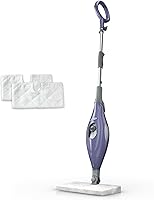
Shark Steam & Scrub S8001

- 3 steam modes
- Automatic rotating pads
- LED headlights
- 4 washable pads included
Choose the S8001 for routine floor care with automatic pad movement to help work on dried-on spills. Its Deep mode adds a setting for tougher messes, while the included spare pads help you keep cleaning with a clean set.
Pros
- Automatic pad movement
- Deep mode for stuck-on messes
- LED headlights reveal debris
- Spare pads included
Cons
- Requires sweeping or vacuuming first
- Smaller tank than the PowerFresh
- Only for floors approved for steam
Its Light, Normal and Deep modes cover quick cleanups, everyday dirt and stuck-on messes. Shark says its rotating head delivers over 150 scrubs per minute, while LED headlights help reveal debris in dim areas.
The removable tank holds 11.83 fl oz, and the mop weighs 6.9 lb. Those details matter when you plan where to refill it and whether you'll carry it between floors.
Who should choose the Shark Steam & Scrub S8001?
Choose the S8001 if your floor permits steam and you regularly mop up dried food spots or tracked-in dirt. The rotating head makes sense when you want scrubbing movement throughout the cleaning pass.
Skip it if you expect one machine to pick up loose debris and mop afterward. Compare wet-dry vacuum mops if collecting floor mess is the main job you need to solve.
It also makes little sense for a home where most floors can't take steam. Choose around your floor's care requirements first, even if the scrubbing features appeal to you.
How do the S8001's steam and rotating pads help?
Steam and rotating pads address dirt that remains after sweeping or vacuuming. The steam works on the mess while the moving microfiber pads provide contact with the floor and collect loosened soil.
That combination is most useful when plain pad passes leave you repeatedly working over dried-on spots. Keep the head moving as directed rather than trying to force a result by pressing harder.
The included Dirt Grip pads are textured microfiber and machine washable. There are 4 individual pads, giving you a spare pair when one pair needs washing.
Clean pads matter as much as the steam setting. Once a pair becomes heavily soiled, switching to a clean pair helps prevent you from spreading dirty moisture across the next area.
The headlights serve a different purpose: they help you see where cleanup is needed. If they reveal crumbs or grit, remove that debris before continuing with steam.
Is the S8001 safe for hardwood and other floors?
Use the S8001 only where both Shark and your flooring manufacturer allow steam. Shark names sealed hardwood, marble, tile, stone, laminate and vinyl as intended surfaces, but your particular floor's care rules still apply.
A surface can look sound while having worn finish, damaged seams or areas where moisture can enter. Don't use steam to work around those problems or assume that a lower setting removes the risk.
For hardwood, identify the floor and finish before choosing a cleaning method. Our guide to whether you can steam mop hardwood floors explains why permission from the flooring manufacturer matters.
For model selection after that check, see our steam mop picks for hardwood floors. If steam is prohibited, use the damp-cleaning method your floor's care guide recommends.
Does a normal cleaning pass sanitize the floor?
Routine mopping and sanitizing are different tasks. Shark's sanitization claims depend on following the owner's guide, including its required procedure.
Don't improvise by holding the head still longer or choosing the highest setting. Follow the exact instructions only on an approved surface, and keep people and pets away from hot equipment and wet flooring.
Which Shark Steam & Scrub model should you buy?
Choose the S8001 for regular cleaning, S8201 for stubborn spots, or S8002BRN for light upkeep. The shared Steam & Scrub name covers different controls and included pad supplies.
| Model | Steam controls | Included pads | Buyer fit |
|---|---|---|---|
| Shark Steam & Scrub S8001 | Light, Normal, Deep | 4 | Regular mopping with tougher spills |
| Shark Steam & Scrub S8201 | Light, Normal, Deep; Steam Blaster | 4 | Frequent stubborn spots needing targeted steam |
| Shark Steam & Scrub S8002BRN | Light, Normal | 2 | Everyday upkeep without a Deep setting |
The S8201 is the better fit when you regularly encounter isolated marks that need more attention than the surrounding floor. Its finger-controlled blast lets you direct extra steam at the spot rather than changing your approach for the whole area.
The trade-off is carrying weight: the S8201 weighs 8.9 lb. Skip that upgrade if your cleanup is usually straightforward or you carry the mop up stairs often.
The S8002BRN suits someone who cleans frequently enough that messes rarely become stubborn. Its simpler controls cover lighter work, but skip it if a dedicated Deep setting is one of your reasons for buying a steam mop.
The S8002BRN also leaves you without a spare pair among its included pads. If you want to swap pairs during a cleaning session, factor that into your choice.
Check the exact model number before ordering. Color and the Steam & Scrub name aren't enough to identify which controls and accessories you'll receive.
How does the S8001 compare with the Bissell PowerFresh?
Choose the S8001 for automatic pad movement or the PowerFresh for its flip-down brush. The practical difference is how you want to handle dried-on dirt and grout.
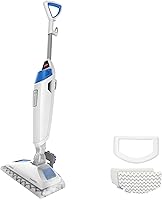
The PowerFresh's Easy Scrubber suits buyers who want a brush available for selected areas, especially grout buildup. Skip it if your main reason for shopping is having rotating pads working throughout each pass.
Its 16 fl oz removable tank holds more water than the Shark models, and its 23 ft cord helps you plan a route across rooms. More capacity is useful when you dislike refill stops, though steam output and the selected setting also affect water use.
At 6.2 lb, the PowerFresh is lighter than either the S8001 or S8201. That deserves attention if carrying the mop matters more to you than the type of scrubbing head.
Don't choose by tank size alone. Read our Bissell PowerFresh review if the brush, carrying weight and cleaning route fit your needs better than rotating pads.
How should you set up the S8001 for the first clean?
Start with floor approval, clean pads and a debris-free surface. Then assemble, fill and start the mop according to Shark's owner's guide.
Sweep or vacuum along baseboards, under chair legs and around the kitchen's main work areas. Hair and crumbs left behind create extra work for the pads and can be pushed into corners.
Attach the pads evenly as directed before starting. A folded edge or poorly seated pad is a reason to stop and correct the setup, rather than continuing through the room.
Fill the removable tank with the water type Shark recommends. Keep cleaning solutions, essential oils, vinegar and other additives out unless the owner's guide expressly permits them.
Plan your path from the far side of the room toward the exit. Move small obstacles beforehand so you don't need to leave a hot mop parked while clearing the next section.
Choose the mode for the cleanup rather than starting at maximum steam. For a fuller sequence, follow our guide on how to use a steam mop.
Which steam-mopping mistakes should you avoid?
Avoid extra heat, extra pressure and dirty-pad passes as shortcuts. Better preparation and correct technique are more useful than repeatedly working the same patch.
Treating Deep mode as the default
Use the setting that matches the mess and the owner's guide. Light dirt doesn't call for the most aggressive setting, and more steam doesn't make an unsuitable floor safe to clean.
Parking the hot head on a stubborn spot
Keep movement and contact time within Shark's instructions. If a mark remains, stop and identify whether it's removable dirt, old residue or damage before applying more heat.
Trying to mop up everything at once
Pick up loose material before steaming, and handle large spills before making a cleaning pass. Steam mopping works better as the floor-cleaning step after bulk mess has been removed.
If that two-step routine doesn't suit you, our steam mop versus wet-dry vacuum comparison can help you choose a machine built around debris pickup.
Using one dirty pair of pads across every room
Check the pads as you move from a dirty area to a cleaner one. Swap them when soiled instead of waiting until the entire floor is finished.
If streaks appear, consider dirty pads and old floor-cleaner residue before adding more passes. Stop and review the floor's care guidance if the surface becomes unusually wet or changes appearance.
How much care does the S8001 need after cleaning?
The main recurring jobs are washing the pads and caring for the water system. Make those steps part of the routine before putting the mop away.
Shut down and unplug the mop as directed, then let hot parts cool before handling them. Remove the pads according to the guide so damp fabric doesn't sit against the floor during storage.
Machine-wash the pads using Shark's care instructions. Follow any limits on detergent, fabric softener and drying method, then let the pads dry fully before storing or reusing them.
Follow the guide for leftover water and tank storage. Keep the tank and mop ready for the next session rather than leaving dirty pads attached.
Don't scrape steam openings or add a homemade descaling mixture without approved instructions. If steam flow changes, consult Shark's troubleshooting steps before attempting a repair.
Should you choose the Shark Steam and Scrub S8001?
Choose the Shark Steam and Scrub S8001 when your floor permits steam and you want automatic scrubbing for regular cleanup. It's the clearest fit here for buyers who want help with dried-on spills without adding a targeted steam control.
Choose the S8201 when stubborn individual spots are common enough to justify its extra weight. Pick the S8002BRN for lighter upkeep, or the PowerFresh when a flip-down grout brush and larger tank suit your routine better.
If your floor prohibits steam or your main need is loose-debris pickup, change the cleaning method before choosing a model. For more steam options once floor suitability is settled, compare our best steam mop picks.
Frequently asked questions
Is the Shark Steam & Scrub S8001 good for tile?
Yes, the S8001 suits sealed tile when the flooring manufacturer permits steam. Its rotating pads help work on stuck-on dirt, while its steam controls let you match the setting to the cleanup.
Check care guidance for both the tile and grout, and remove loose grit before mopping.
Can you use the S8001 on hardwood?
Use the S8001 on hardwood only when the flooring manufacturer allows steam on that floor and finish. Shark includes sealed hardwood among its intended surfaces, but a sealed finish alone isn't permission to use heat and moisture.
If the floor's identity or care requirements are unclear, choose another cleaning method.
What is the difference between the S8001 and S8201?
The S8201 adds a finger-controlled Steam Blaster for stubborn spots and weighs more than the S8001. Both include rotating pads, 3 steam modes, LED headlights and 4 washable pads.
Choose the S8201 for frequent spot treatment, or the S8001 when easier carrying matters more than targeted steam.
How does the S8001 handle floor debris?
Sweep or vacuum loose debris before using the S8001, because its job is steam mopping with rotating microfiber pads. It doesn't replace debris pickup.
Remove crumbs, hair and grit first, then use clean pads to lift the dirt left on the floor without dragging loose particles through the room.